Wiring Guide: Legacy (Pre-2020) Tesla Model 3/Y
For older Tesla Model 3/Y vehicles (2020 and earlier), there are different connector options available. This guide covers the X652 and X052 connectors.
Finding the Right Connector for Your Car
Please use the official Tesla documentation for reference: https://service.tesla.com/docs/Model3/ElectricalReference/
Option 1: X652 Connector (Easiest)
The X652 connector is the easiest to use if your car has it.
Locating X652
Lift the passenger seat footwell all the way up and look under the seat:
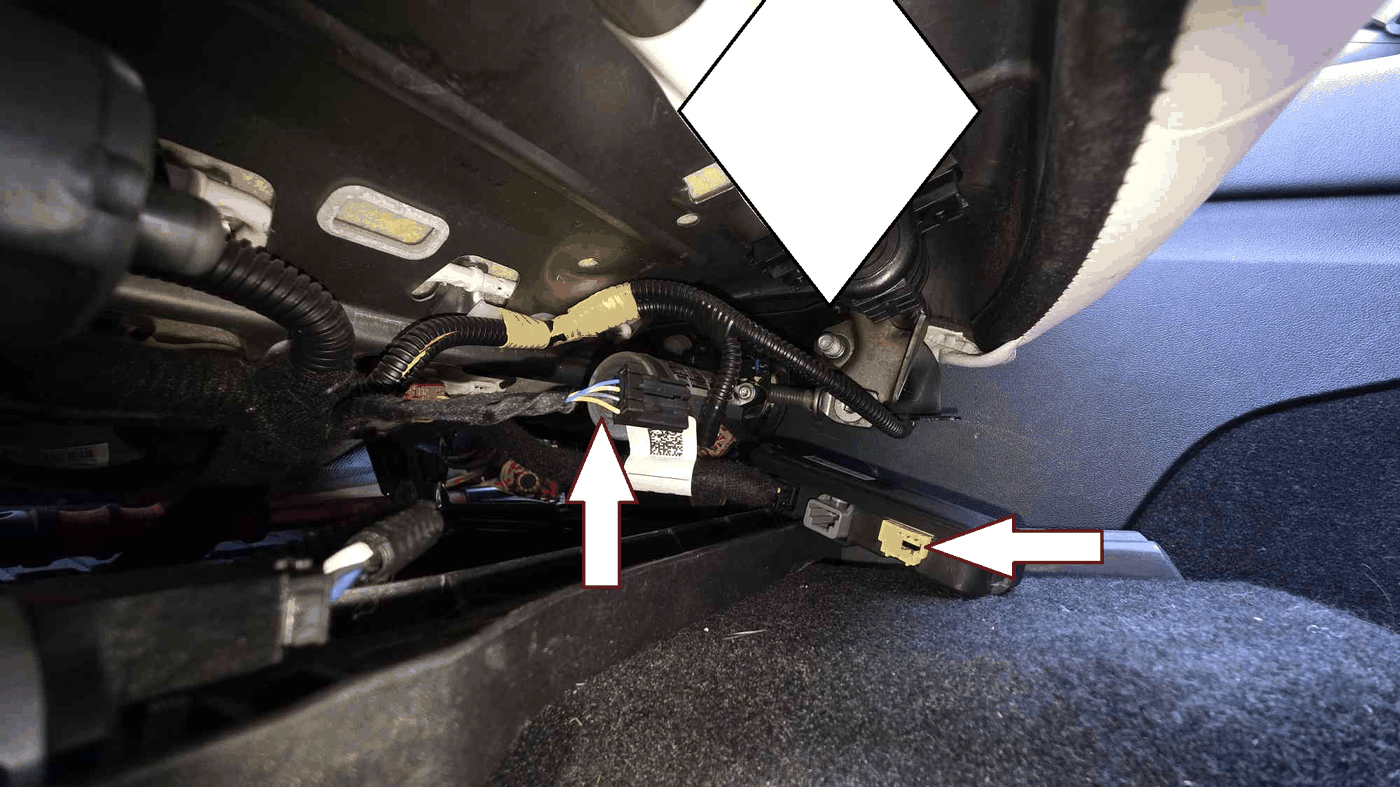
Important: Check for Black Box
Do NOT use the X652 if it is connected to a black plastic box. Unplugging it will trigger a persistent passenger seat warning.
If there is no black box, you can safely use this connector.
Wiring X652

| Pin | Signal |
|---|---|
| 1 | CAN-L |
| 2 | CAN-H |
| 3 | Ground |
| 4 | Power (12V) |
You'll need to make 2 custom cables using:
- 936119 connectors for CAN bus
- 1355717 connectors
- Power connector
Option 2: X052 Connector
If X652 is not available, you can use the X052 connector located on the right side of the car.
Locating X052
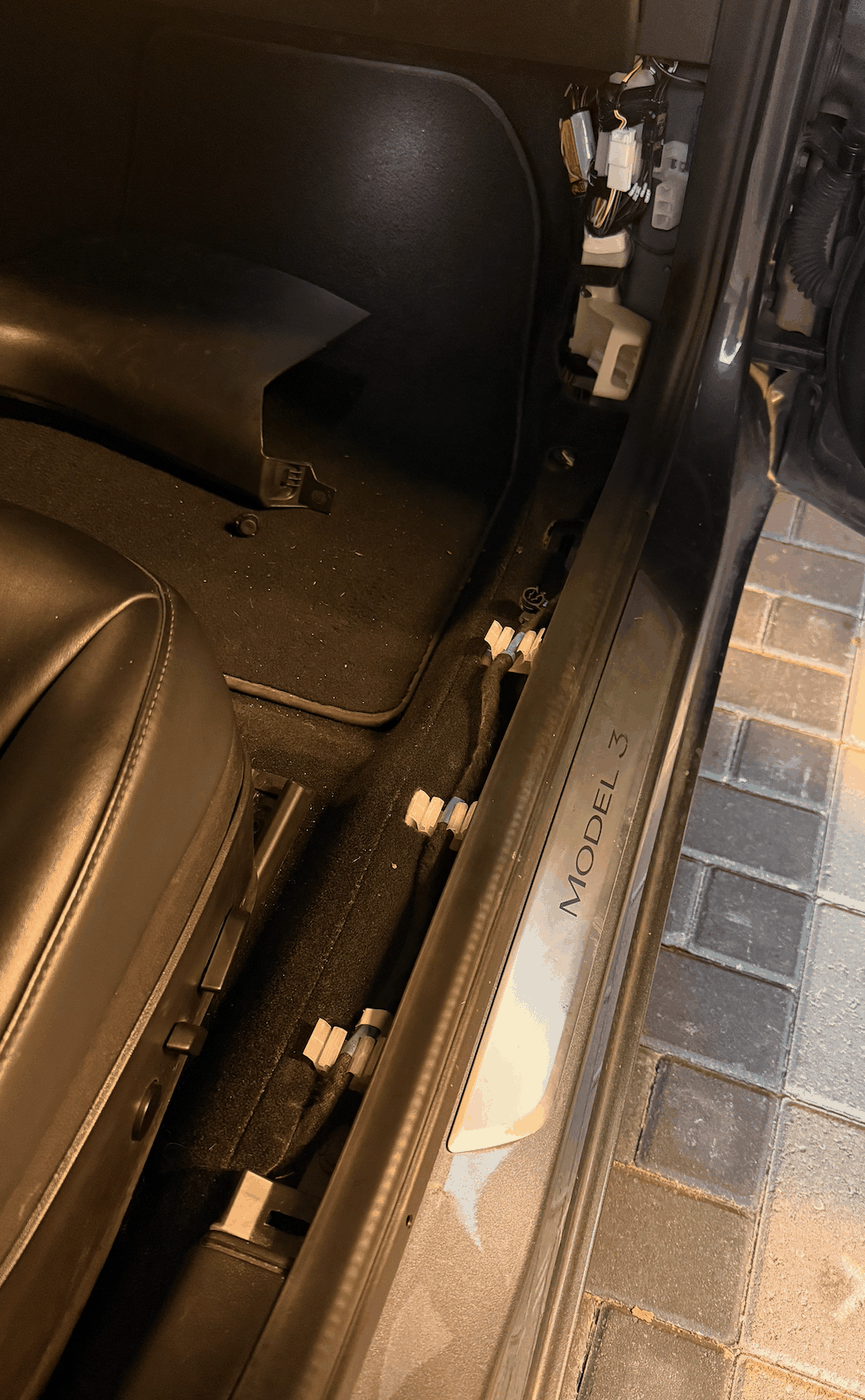
There is 1 plastic trim piece that needs to be removed:
- Pull the trim up near the bottom
- Lift it slowly toward the dashboard
- Unclip the plastic screw by hand
You will find the X052 connector inside:
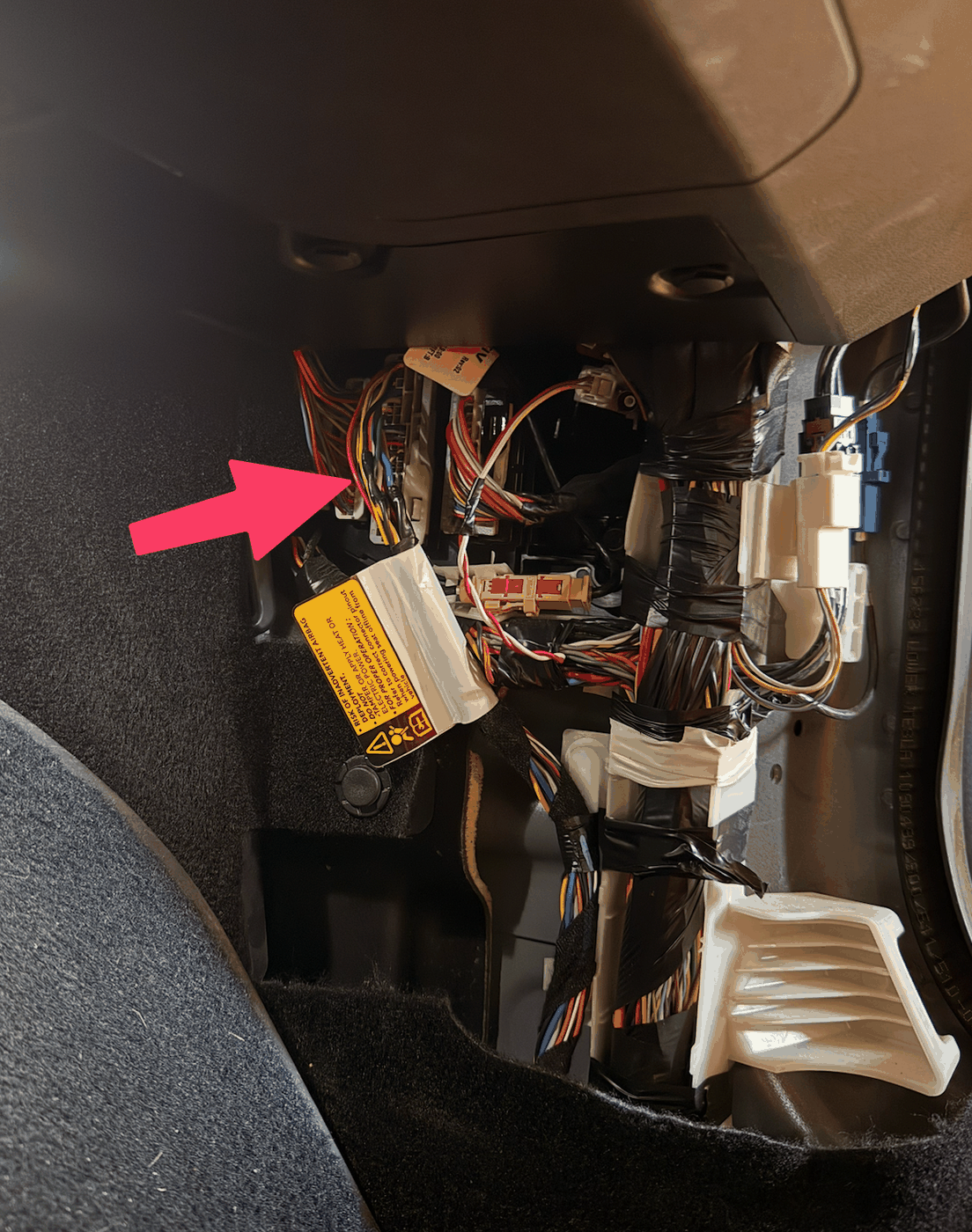
X052 Connector
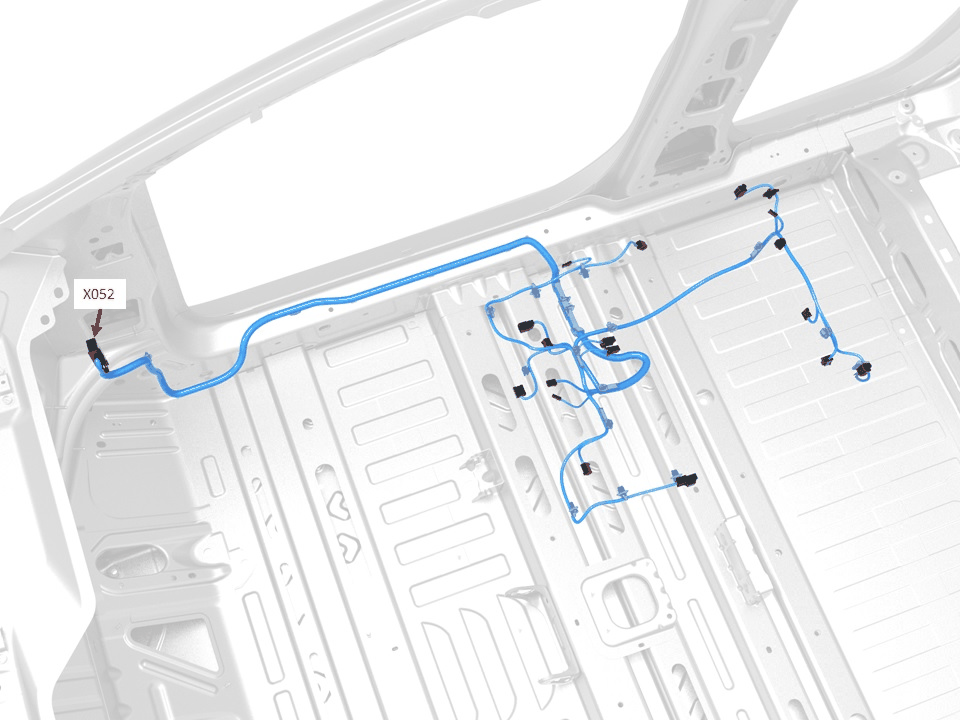
The X052 uses special deep-plugging connectors. We recommend buying these connectors and making 4 cables.
| Pin | Signal |
|---|---|
| 44 | CAN-H |
| 45 | CAN-L |
| 22 | Ground |
| 20 | Power (12V) |
Option 3: X930M (Not Recommended)
The X930M connector will not enable FSD and is not recommended for this project.
Next Steps
Once you've wired the connector to your board:
- Follow the Firmware Flash guide
- Configure your board and vehicle in Configuration
- Test with the Serial Monitor at 115200 baud